

Key Takeaways
- A PHP2Shell checker tests whether a server runs PHP affected by CVE-2026-109618 or CVE-2026-109619.
- Most free PHP2Shell checkers read the PHP version from the X-Powered-By header and do not send attack traffic.
- A header check cannot see hidden versions, backported fixes, other servers, or past break-ins.
- Active PHP2Shell scanners send real attack traffic and can crash PHP workers.
- Only run active scanners on systems you own, with written permission.
- An inside check confirms the PHP version, build date, restart time, and logs since October 17, 2026.
- Taazaa’s free domain check is a quick first look; the inside check reveals all vulnerabilities.
Yes, there are PHP2Shell checkers, and most of them read your PHP version from public headers. A PHP2Shell checker can flag a potential issue, but it cannot prove that your servers are safe.
This guide explains what each kind of checker can confirm and which ones are safe to run. It also explains why an inside check is still needed.
Is There a PHP2Shell Checker?
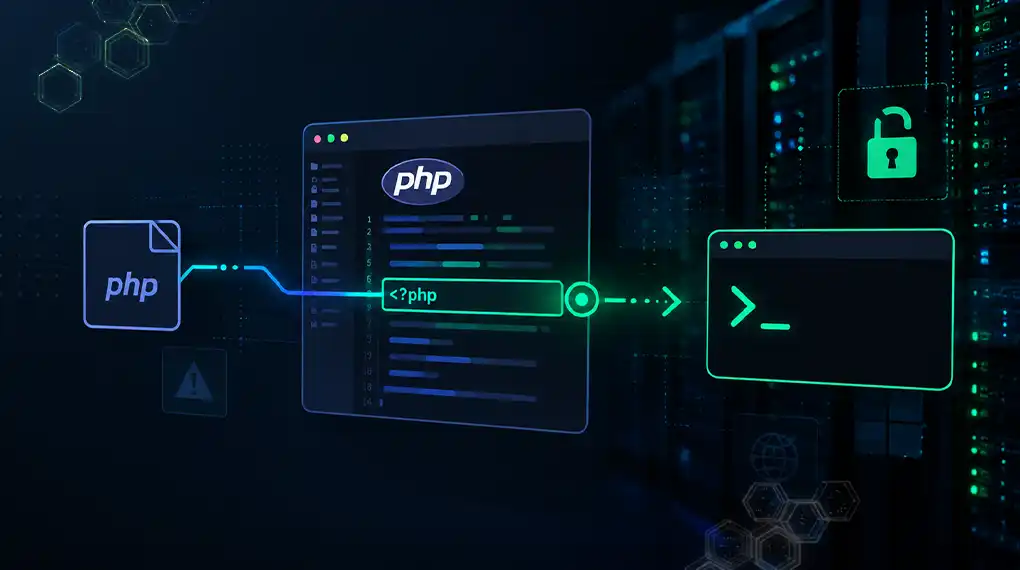
Several PHP2Shell checkers exist, from free web tools to open-source scanners and commercial vulnerability scanners. Most free PHP2Shell checkers work the same way. They send a normal request to your site, read the PHP version from the response headers, and compare it with the fixed releases. That makes them quick and safe, but limited in what they can find.
PHP2Shell refers to two critical flaws in PHP itself, CVE-2026-109618 and CVE-2026-109619. Our guide explains what PHP2Shell is and which versions are affected.
The fixed releases are PHP 8.5.12, 8.4.27, 8.3.36, and 8.2.35. Any PHP2Shell checker compares your version against these numbers. (Patched to 8.2.35? PHP 8.2 support ends December 31, 2026, so read our PHP 8.2 end-of-life upgrade guide.)
Interest in checkers is high. Google Trends shows searches such as “php2shell check,” “checker,” and “scanner” spiking after the October 21 disclosure.
What Kinds of PHP2Shell Checkers Exist?
PHP2Shell checkers fall into three groups: header checks, active probes, and inside checks. Header checks read your public PHP version. Active probes send attack-style traffic to see how the server reacts. Inside checks look at the server directly with login access. Each kind answers a different question, and each carries a different level of risk.
ProjectDiscovery’s Nuclei template is a common example of a header check. ProjectDiscovery says the template reads the version from the X-Powered-By header and sends one ordinary request per URL. It attempts no exploitation.
What Can a Public-Header Check Confirm?
A public-header check can confirm one thing: the PHP version your server announces to visitors. If the header shows a version below the fixed releases, the site likely needs attention. A header check is fast, free, and harmless. It needs no login and works from anywhere, so it suits a quick first look.
A header check works when PHP’s expose_php setting is on. With that setting on, PHP adds a header such as “X-Powered-By: PHP/8.3.36” to each response. PHP’s documentation describes this setting.
A header check is most useful in two cases:
- A clear red flag. The header shows PHP 8.1 or older, which has no official PHP2Shell fix.
- Many sites to sort. A header check quickly ranks dozens of domains, so you know where to look first.
Taazaa’s free domain check works this way. It reads only what your site shows to the public, just like a browser does.
What Can’t a Public-Header Check Tell You?
A public-header check cannot tell you whether your server is safe, but many servers hide their version, and patched builds can keep old version numbers. A header check also sees only one server, not your whole estate. And it can never tell you whether someone broke in before you patched.
Here is what a header check misses, and why it matters:
A missing header proves nothing. A safe-looking header can be misleading. Plesk, for example, ships fixes for older branches without changing the version number.
Are Active PHP2Shell Scanners Safe to Run?
Active PHP2Shell scanners are not always safe to run. An active scanner sends attack-style traffic to your server to see how it reacts. Some active scanners can crash PHP workers and take parts of your site down. Run active scanners only on systems you own, with written permission, and preferably on a staging copy first.
One open-source probe, php2shell-probe, makes its active mode opt-in for this reason. Its documentation warns that the active mode can crash the target PHP worker.
Follow these rules before running any active PHP2Shell scanner:
- Scan only systems your company owns or has written permission to test.
- Start with a staging copy, not your live site.
- Tell your hosting company first, so they don’t mistake the scan for an attack.
- Schedule the scan for a quiet hour, with someone ready to restart PHP.
Running attack traffic against systems you don’t own can break the law, even with good intentions.
Why Do You Need an Inside Check for PHP2Shell?
You need an inside check because PHP2Shell safety depends on information only the server itself can provide. An inside check confirms the real PHP version, build date, and restart time on every server you run. It also reviews logs from October 17, 2026, for signs of a breach that occurred before you applied the patch.
An inside check uses tools you already have. A temporary phpinfo() page shows the version, build date, and server type. Our guide on how to check your PHP version walks through each platform.
Amazon Threat Intelligence recorded the first exploitation attempt on October 17. That date sets how far back an inside check should review logs.
How Do You Check Your Site for PHP2Shell, Step by Step?
To check your site for PHP2Shell, start with a free header check, then confirm everything from inside the server. The header check tells you where to look first. The inside check tells you whether each server is truly fixed. Do the steps in this order.
- Run a free header check on every domain you own. Note any version below the fixed releases.
- List every PHP server, including staging sites, vendor portals, and internal tools.
- Confirm the real version and build date on each server with a temporary phpinfo() page. Delete the page right after.
- Check the restart time of each PHP service. It should be later than the update.
- Review logs from October 17 onward for unusual uploads, memory errors, and bursts of HTTP 500 responses.
- Rotate passwords and API keys on any server that was exposed before the fix.
Is your site on a managed host? Our guide on whether your WordPress site is affected covers what to ask your host instead.
How Can Taazaa Help You Check for PHP2Shell?
Taazaa helps teams move from a quick header check to a comprehensive PHP review. The free domain check shows what your site tells the public. The PHP2Shell Exposure Check then looks inside every PHP server you run. It confirms versions, builds, and restarts, and reviews logs for signs of a break-in.
The Exposure Check costs a flat $2,500 and delivers a ranked fix plan within 48 hours. If a server runs PHP 8.1 or older, Taazaa’s Legacy PHP Rescue can upgrade or rebuild the application.
Start with a quick look at where you stand. Check your domain for free.
FAQs
Is there a free PHP2Shell checker?
Yes. Several free PHP2Shell checkers read your PHP version from public headers and compare it with the fixed releases. Taazaa’s free domain check works this way. These checkers are safe and quick, but they cannot see hidden versions, backported fixes, other servers, or past break-ins. A comprehensive review requires an internal check.
Can a PHP2Shell checker prove my site is safe?
No. A PHP2Shell checker that reads public headers can flag a likely problem, but it cannot prove safety. Many servers hide their version, and patched builds can keep old numbers. Only an inside check confirms the real build, the restart, and whether anyone got in before the patch.
What does a PHP2Shell scanner do?
A PHP2Shell scanner tests a server for the PHP2Shell flaws. Most scanners read the PHP version from headers. Some active scanners send attack-style traffic to see how the server reacts. Active scanners can crash PHP workers, so run them only on systems you own, with written permission.
Why doesn’t my site show a PHP version?
Your site likely has PHP’s expose_php setting turned off, which hides the X-Powered-By header. Many hosts turn it off by default. Hiding the version does not protect against PHP2Shell. You still need to confirm the version and build from inside the server or ask your host.
How far back should I check logs for PHP2Shell?
Check logs from October 17, 2026, onward. Amazon Threat Intelligence saw the first PHP2Shell exploitation attempt on that date, four days before PHP released a fix. Look for unusual upload requests, memory errors, bursts of HTTP 500 responses, and PHP processes starting shells.